
IDSnap: Free Passport Photo Maker Coming to iOS — Take ID Photos at Home in Seconds
Stop paying $15 at pharmacies for passport photos. IDSnap uses on-device AI to create print-ready ID photos from your iPhone — free, private, and instant.
You need a passport photo. The pharmacy charges $15. The photo booth at the mall takes 10 minutes and the results look like a mugshot. Online services ask you to upload your face to their servers — where it goes after that is anyone’s guess.
There has to be a better way. And now there is.
IDSnap is a free iOS app that turns your iPhone into a professional ID photo booth. Take a photo (or pick one from your library), and IDSnap’s on-device AI handles everything: face detection, background removal, precise cropping to official specifications, and print-ready export. The entire process takes about 10 seconds. And your photos never leave your device.
Why We Built IDSnap
We’re CrocLab, the team behind FocusCroc and DreamTone. Our philosophy is simple: build tools that are free, private, and useful. When we looked at the ID photo market, we saw a gap:
- Photo studios charge $10-20 for a simple headshot on a white background
- Online tools require uploading your face to remote servers — a privacy nightmare for a document tied to your identity
- Existing apps either lock basic features behind paywalls or produce low-quality results
IDSnap fixes all three problems.
How IDSnap Works
1. Take or Select a Photo
Open IDSnap and either take a new photo using your iPhone camera or pick an existing one from your photo library. No special background or lighting required — IDSnap handles imperfect conditions.
2. AI Face Detection
Apple’s Vision framework detects your face position, eye alignment, and head boundaries. IDSnap uses this data to ensure your photo meets official requirements for face centering and proportion.
3. Instant Background Swap
Using on-device person segmentation, IDSnap removes your original background and replaces it with the standard color required for your document type:
- White — US passport, Schengen visa, most international documents
- Blue — US visa, some Southeast Asian IDs
- Red — China mainland ID photos
- Custom colors — For any other requirement
The segmentation runs entirely on your iPhone’s Neural Engine — your photo never touches a server.

4. Choose Your Specification
IDSnap comes with built-in specifications for 12+ countries and document types:
| Country/Region | Document | Size |
|---|---|---|
| United States | Passport | 2×2 inches |
| United States | Visa | 2×2 inches |
| United Kingdom | Passport | 35×45 mm |
| European Union | ID/Passport | 35×45 mm |
| China | Resident ID | 26×32 mm |
| China | Passport | 33×48 mm |
| Canada | Passport | 50×70 mm |
| Australia | Passport | 35×45 mm |
| India | Passport | 51×51 mm |
| Japan | Passport | 35×45 mm |
| South Korea | Passport | 35×45 mm |
| And more… |
Each specification includes the exact dimensions, resolution requirements, head-to-frame ratio, and background color standard. IDSnap automatically crops and resizes your photo to match.
5. Export & Print
IDSnap generates two outputs:
- Single photo — Save to your camera roll or share directly to email, messaging apps, or online application forms
- 4×6 print layout — A standard photo paper layout with multiple copies and crop lines, ready for home printing or any photo print shop
What Makes IDSnap Different
Completely Free
No subscriptions. No “premium” features locked behind a paywall. No “3 free photos then pay” limits. Every feature is free, supported by non-intrusive ads.
100% On-Device Processing
This is the big one. Your face is one of the most sensitive pieces of biometric data you have. IDSnap processes everything using Apple’s Vision framework directly on your iPhone. Zero server uploads. Zero cloud processing. Zero data collection. Your photos stay on your device, period.
Professional Quality
IDSnap doesn’t just slap your face on a colored background. It uses advanced person segmentation to cleanly separate you from the background — including hair edges and complex outlines. The result is a clean, professional photo that passes official review.
Fast
From photo to export in under 10 seconds. No waiting for uploads, no waiting for server processing, no waiting for downloads. Everything happens instantly on your device.
Download IDSnap — It’s Free
IDSnap is now available on the App Store as a free download. Get it here:
Download IDSnap on the App Store
Also check out our other free tools:
Your last overpriced pharmacy passport photo is behind you.
FAQ
Q: Is IDSnap really free? A: Yes, completely free. All features — face detection, background removal, all 12+ country specs, print layout — are available at no cost. The app is supported by non-intrusive ads.
Q: Does IDSnap upload my photos to any server? A: No. All processing happens entirely on your iPhone using Apple’s Vision framework. Your photos never leave your device through our app. See our privacy policy for details.
Q: Can I use IDSnap photos for official documents? A: IDSnap follows official specifications for each country and document type. However, acceptance ultimately depends on the reviewing authority. We recommend checking your specific requirements and using a well-lit, front-facing photo for best results.
Q: What iPhone models are supported? A: IDSnap requires iOS 16.0 or later. It works on iPhone 8 and newer models. Face detection and background removal work best on devices with the Neural Engine (iPhone XS and later).
Q: Can I print IDSnap photos at home? A: Yes. IDSnap generates a 4×6 inch print layout with multiple photo copies and crop lines. Load standard 4×6 photo paper into any home printer, print, and cut along the lines.
Related Articles
How to Take a Professional Resume Photo at Home for Free in 2026
A professional resume photo doesn't require a studio. Learn the exact lighting, background, and framing setup to take a job-winning headshot at home with your phone.
PhotographyHow to Take a Professional LinkedIn Headshot at Home for Free in 2026
A studio headshot costs $150–$400. Here's how to take a LinkedIn-quality professional photo at home with your iPhone — lighting, posing, background, and free tools included.
PhotographyHow to Take a Baby or Child Passport Photo at Home in 2026
Babies can't sit still, can't follow instructions, and won't keep their eyes open on cue. Here's how to get a passport photo for your baby or child that actually passes the first time — without a $30 photo booth.
Try IDSnap
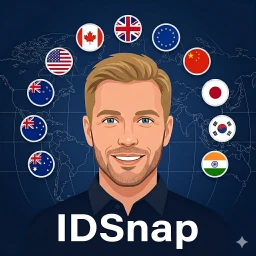
Free ID photo maker powered by on-device AI. Take or pick a photo, auto-detect your face, swap the background, and export print-ready passport photos — all without uploading anything.